
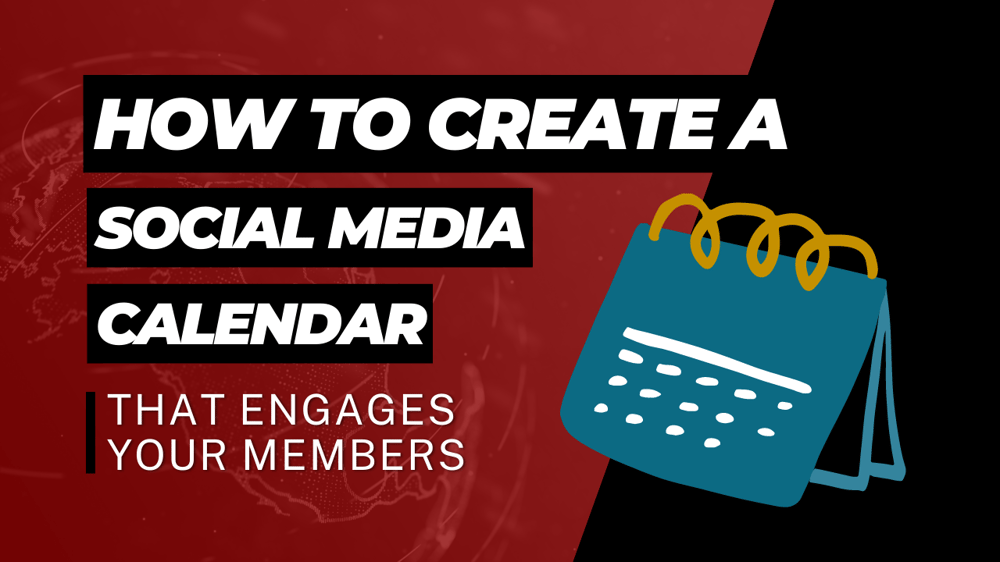
How many times have you seen a National Day celebration or other event when it's too late to celebrate them? Have you ever thought of amazing marketing ideas after it's too late to pull together the resource you need to go front and center with the idea? Stop regretting your posts and instead learn how to create a social media calendar to avoid that last-minute "what could have been" feeling.
But is all that work to create a social media calendar worth it?
Absolutely!
It just requires a little investment of time initially and some maintenance each month. Here's everything you need to know how to create a social media calendar:
- Chamber Events:
Add all chamber events to the calendar including reminders and posts after the event such as "thank you" posts and sharing images of the great time you had. - Community Events:
These can be great attention getters that receive lots of shares. But we're not talking about boring event reminders. You want to post the answers to the questions everyone is asking about the event.
For instance, if your community has a parade, publish the road closure schedule. If trick or rreating for Halloween has specific hours, post those. Go through each month on your calendar and think about what people most want to know during those months and add that to your social media calendar. - Federal Holidays:
These are easy posts because you know exactly when they are every year. Create a message that fits each holiday and/or provide something interesting about it such as a little known fact connecting your town and the holiday. - Local Days of Celebration:
Does your town have a special celebration or anniversary? Plug that into your social media planner as well. - National Holidays:
Do a search under national holidays and scroll through the list of holidays, days of celebration, and awareness occasions to find ones that mean something to your chamber, town, or businesses. Then think of a way to discuss or celebrate it. For instance, for National Pizza Day you can ask viewers what their favorite pizza is, who makes the best pizza, or whether they like think or think crust better. That could be an engaging post.
Now that you have ideas for your social media calendar, let's talk about how to create a social media calendar that makes it easy to implement.
Technology
Your content ideas will just be ideas if you don't house them somewhere. What you use depends on your budget and the platforms you post to. If you only post to Facebook and Instagram, the Meta Business Suite has a decent calendar.
If you post to a variety of places outside of Meta, you may want to consider a scheduling program like Hootsuite. If you just want a social media calendar to organize and you'll transfer it to a scheduler later, you can use Excel or a spreadsheet to keep it all straight.
Content Cory has a huge list of free social media content calendars so that you can find one that's perfect for your posting platform.
Social Media Calendar Components
If you're creating your own sheet, you'll want the following columns. Otherwise, most schedulers will have places for this information.
- Date and Time for Post
This is the date and time the post will go live. You'll want to do this individually for each platform you post to unless you post across the board at the exact same time. - Social Media Account
Again, unless you are posting at the exact same time for each post you'll want to specify where it's posting. While, it's easy to post at the same time everywhere, you may see that your audience on Instagram is more active at a different time than your audience on Facebook. To capitalize on that, you'll want to post at those (different) times on the platform. - Creatives
This next box is the most important because without it you don't have a post. However, you have some choice about how you organize it. If you're using a spreadsheet, you can place everything in one cell or you can create multiple cells to make it easy to read. However, placing it in different cell, while it's easier to read, means you'll have to copy and paste from multiple spots. This can be a time eater.
If you choose multiple cells, you may divide them up by: copy, URL, hashtags, and/or image or use them in any combination like keeping everything together minus the hashtags. (Tip: if you're using Meta to schedule, it has a very handy hashtag save option for your frequently used hashtags but you could achieve the same thing with a copy and paste function in a spreadsheet.) - Types
In addition to knowing what platform you'll post on, some social media sites have multiple types of posts. For instance, Facebook allows for standard posts and stories. You'll want to keep these separate because you may get very different engagement from them. Also, you may want to track when you do a poll in your story, for instance. This will help you differentiate the type of post that is most successful for you on each platform.
Once you know how to create a social media content calendar, the biggest challenge will be diligently filling that calendar and using it. Keep reminding yourself of the missed opportunities you bemoaned before hand and celebrating the success of your planned and calendared posts and you'll never go back.
Share this post...
Most Recent Posts
Social media posting takes a lot of time. Unless you're using these AI prompting tips.

Do you keep writing the same things over and over? It's time for a member communications playbook.

Stop thinking of event marketing as single posts. Use AI to think strategically and create more content.

By using points, proof, leaderboards, and staff approval, chambers can make ambassador activity easier to track, easier to recognize, and easier to report.

Compiling FAQs can prevent staff from wasting time with repeated answers. Here's how to use AI to do it.

Is your onboarding a little off-putting? It's time to get serious with reshaping it. AI can help.

Sure, you can spend hours writing all your event marketing for every event. or you could use AI.

Are your event titles boring? Bring in more attendees with these tips on how to use AI effectively.

Are you drowning in data? Having trouble making sense of it all. Then AI is your new BFF.
How can you be sure you've weighed all the options? You need a decision partner.

Are there tasks you do every day? Then it's time to automate with an AI prompt library.

This is the most important business school out there. And the chamber is in position to own it.
CONTENT
Legal Agreements, Privacy Policy, Terms and Conditions
Copyright 2026 Chamber Pros Community and Frank J. Kenny, LLC